
I have a Brother MFC-490CW printer which was working fine as a scanner and fax machine. It worked for years as a printer, also. And the ink cartridges were very inexpensive compared to other brands and models.
Anyway, after several months of using my backup printer, I decided to fix this one. Especially since it is my fax machine and I like to be able to get confirmation pages!
One of my favorite websites, ifixit.com has a great guide for disassembly: https://www.ifixit.com/Guide/How+to+Unclog+Brother+Inkjet+Print+head+Nozzles/45777
Now the funny thing is that is a WHOLE LOT of work and completely unnecessary! The lesson here is that there was way better information in the user comments underneath the guide.
- Send a print job to the machine and wait until the paper spools and you can hear the print head moving back and forth.
- Quickly pull the power cord from the electrical outlet while the print heads are still in motion (i.e. before the page is finished printing)
- Gently push the printhead all the way to the left. The printhead is the black thing circled in red in the photo below.
- Wet a paper towel and fold it over once or twice. Cut it with scissors to the approximate width that it will fit underneath the printhead.
- Move the printhead over the wet paper towel. You should see a lot of ink rubbing off.
- Repeat several times until the printhead is clean.
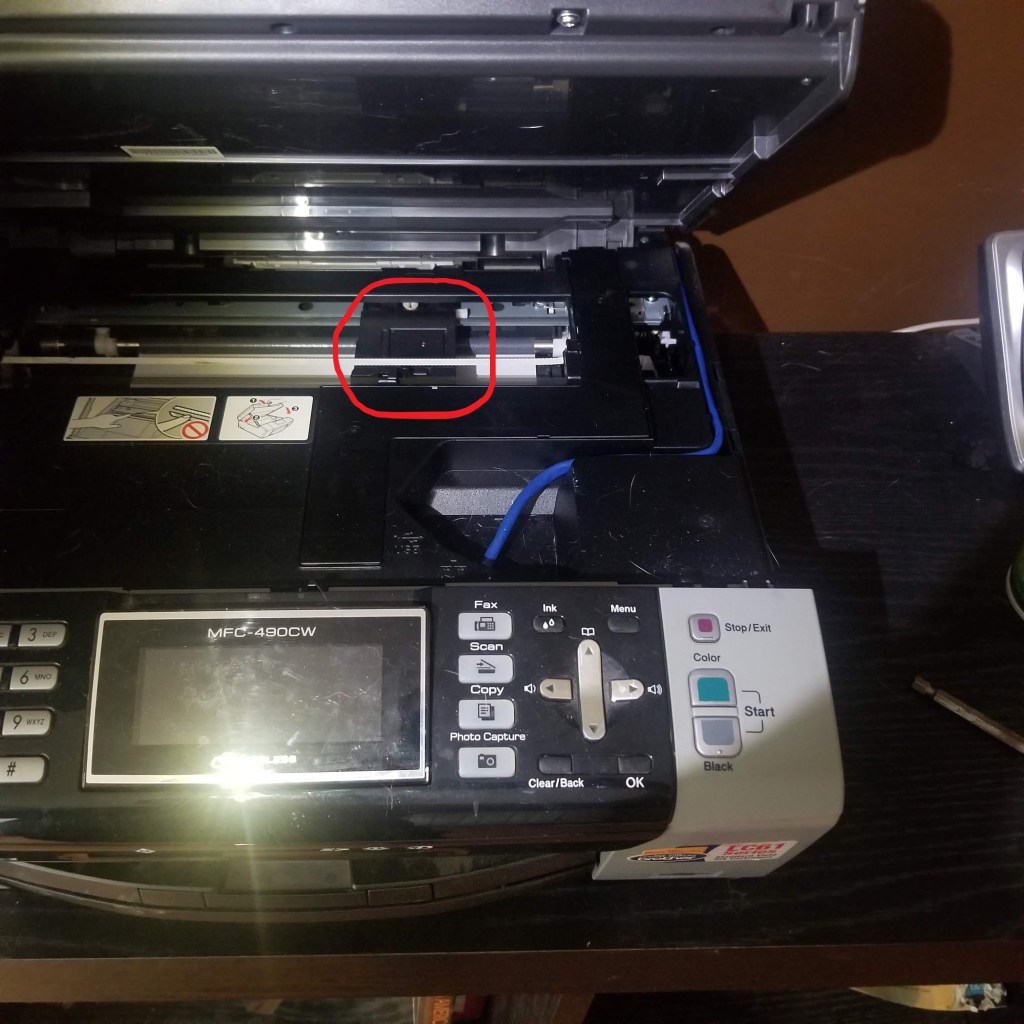
There was an improvement. At least no more blank white pages! However, the print quality was not great. I needed to continue doing more cleaning.
I was lucky that my wife had a medical syringe on hand, because the turkey injector needle was way too fat for what I was about to do. But it is possible to do even better with this awesome kit sold by Printhead Hospital on Amazon.com: https://www.amazon.com/Print-Head-Cleaner-Brother-Printers/dp/B0089OIZL0
The picture below shows where the ink cartridges are installed. I remove the magenta cartridge and drew a red arrow to the tiny tube that carries ink from the cartridge up to the
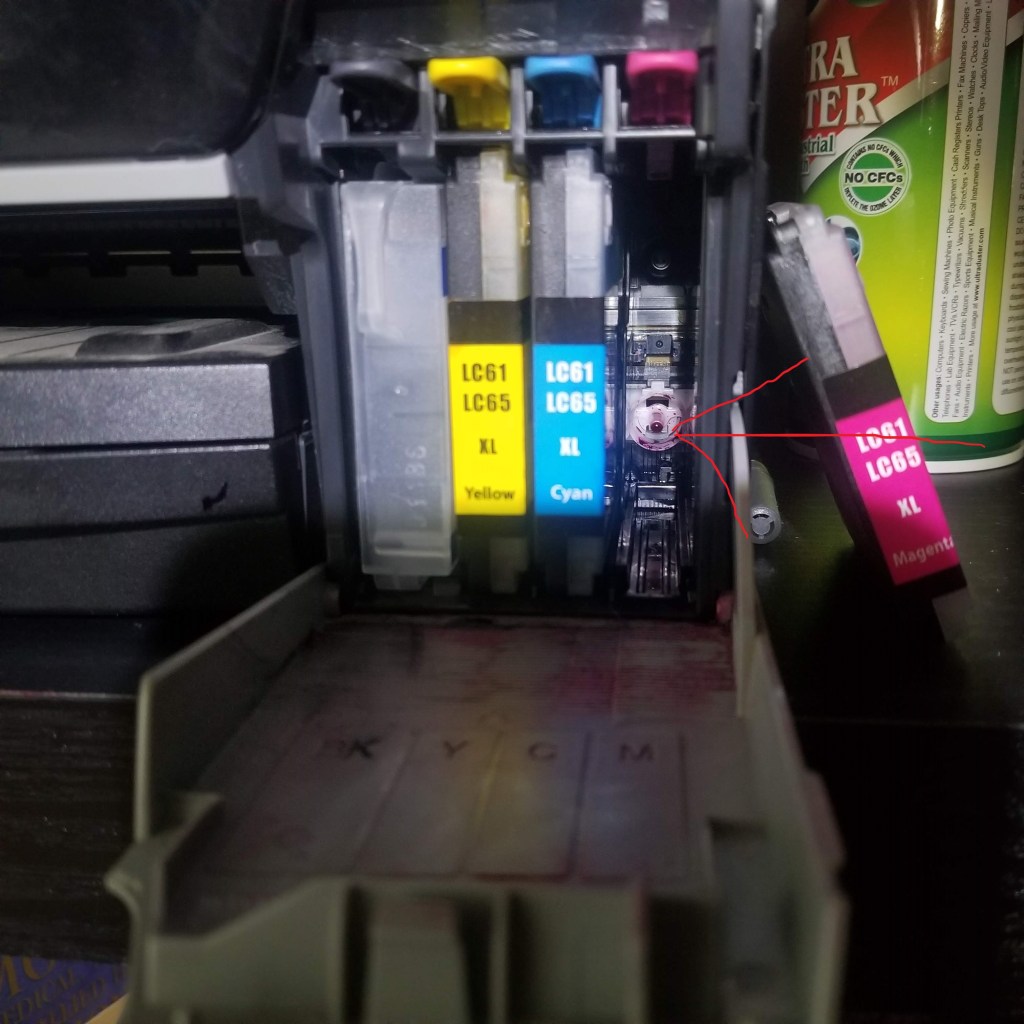
Before you continue, take a dry paper tower and fold it up and put it under the printhead. Otherwise you will make a mess inside your printer.
Anyway, depending on what you have available, you can shoot alcohol into the tube, or you can just try to suck the ink out and reinject it until the blockage comes loose. I think the alcohol works best because there may be dried up little pieces of ink in the tube.
 Hoy Manor